Sources
The data behind every answer. How sources are added, processed, versioned, and trusted.
A source is any data the platform can read — a file you uploaded, a BigQuery table you connected, a document from Drive, a call recording transcribed for you. Every answer the platform gives is built from one or more sources, and every claim it makes cites which source it came from.
What's on the Sources screen
Sidebar → Sources. Tabs across the top: All (active by default) / Upload / Apps / BigQuery.
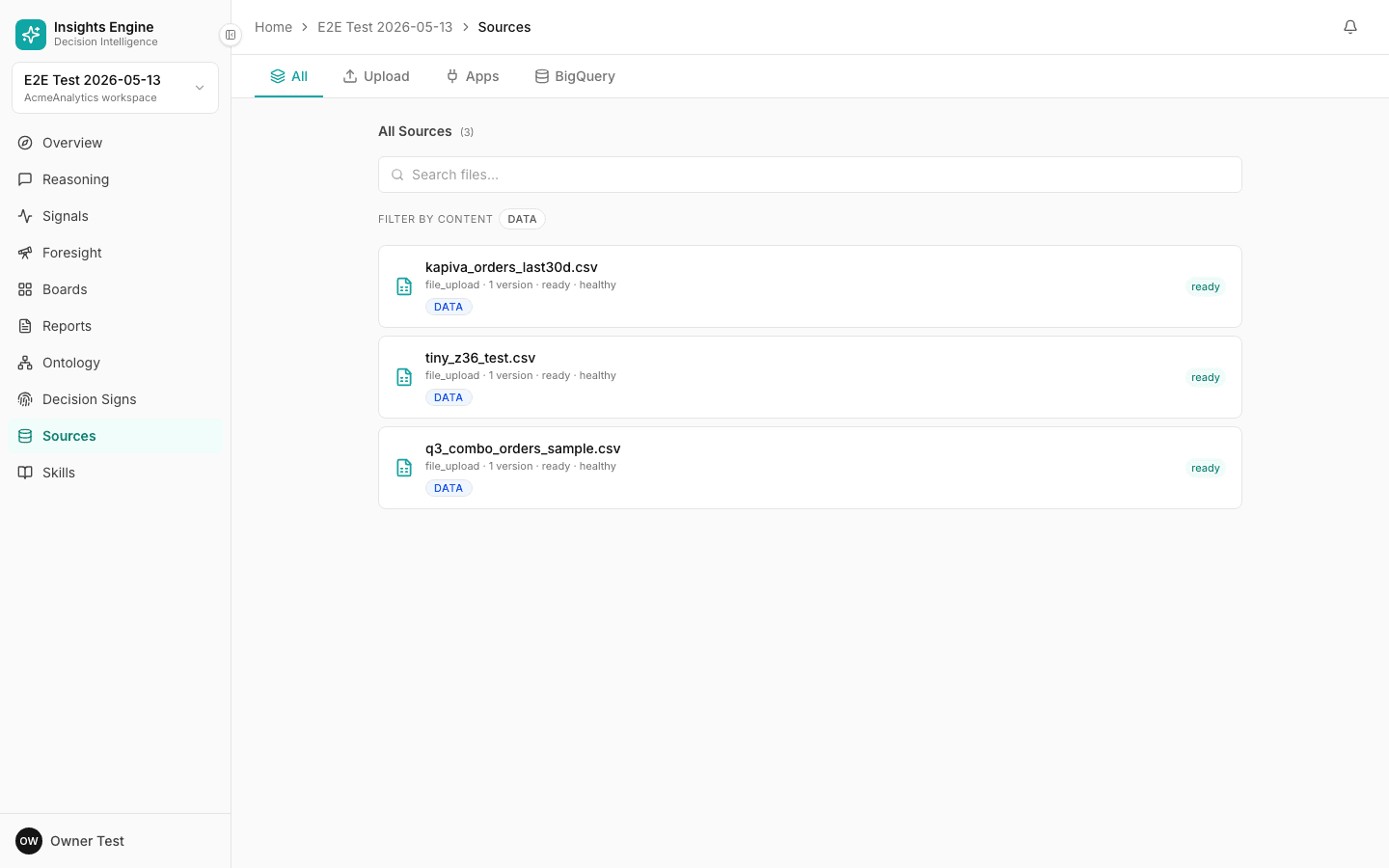
- Header row — "All Sources (N)" with the total count.
- Search files… input.
- Filter by content chips — narrow the list by what kind of content the source carries:
- DATA — tables of rows used in analytics queries
- GLOSSARY_TERMS — sources that contributed glossary entries
- CONVENTIONS — sources that established conventions (currency, FY, etc.)
- Source rows. Each row shows:
- Name (e.g.
d2c.test_fact_order) - Type (
bigquery_table,xlsx,csv, etc.) · version count · status · health (healthy/warn/error) - Content tags inline (DATA, GLOSSARY, CONVENTIONS)
- Right-side status pill (
ready,processing,failed)
- Name (e.g.
Click any source to see its detail page.
The source detail page
The detail page tells you everything the platform knows about a source:
- A summary — what the platform inferred this source contains.
- The schema — every column, its type, sample values, and what business concept it was matched to.
- Key findings — anything the platform thinks is worth flagging.
- Gotchas — small issues that didn't block ingestion but might affect quality (e.g. "the
signup_datecolumn has 12% missing values"). Each gotcha has a severity: info, warn, or error. - Versions — every re-upload, with a schema diff to the prior version.
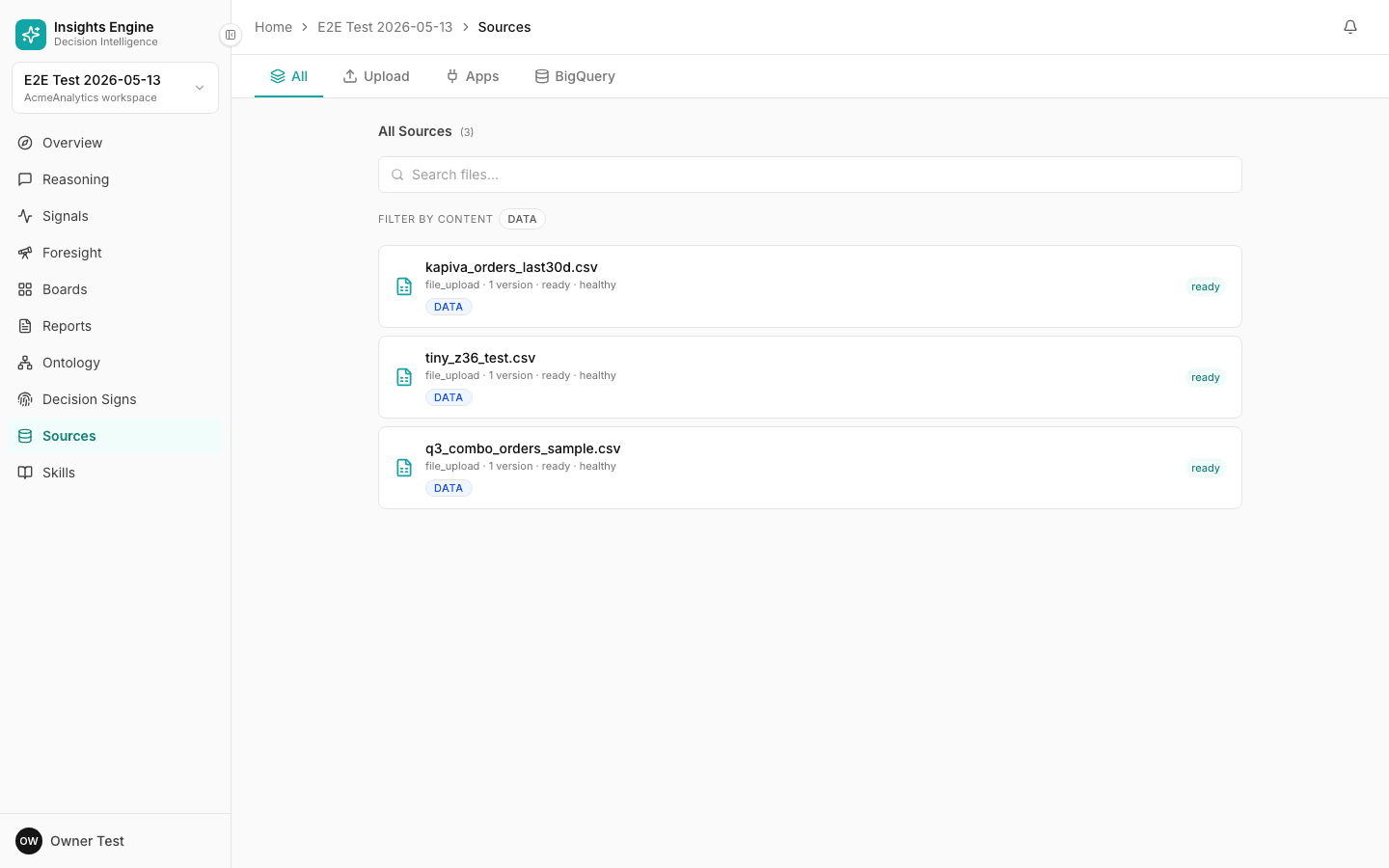
What's on the Source detail screen
Click any source row and the right pane swaps in the detail view. The Sources page becomes a two-pane layout (file list on the left, detail on the right).
- Header —
<source-name> · <version-date>(e.g. "D2C.TEST_FACT_ORDER · 2026-05-05") + the friendly name + scope badge (Project / Subscribed / Owned). - Action buttons (top-right):
- Re-run analyze — re-trigger the platform's schema/semantic analysis.
- ↑ Promote to workspace — request DA review to add this source to the workspace library (see Use the workspace library).
- Summary paragraph — the platform's own narrated description of what's in the source (LLM-generated from schema + sample values).
- INSPECTOR panel with three cards + an open-gotcha count badge:
- GRANULARITY — the inferred grain (e.g. "daily", "per-order", "per-customer").
- KEY COLUMNS — pill chips of the columns the platform identified as identifiers / dates / domain keys.
- EVALUATED BY — which analyser ran the audit, which model, when (e.g. "analyze_v3_bq_schema_only · anthropic 05/05/2026").
- GOTCHAS section — list of issues found. Each gotcha has a severity tag (INFO / WARN / ERROR), a slug (e.g.
no_obvious_issues,high_null_rate), a description, and accept (✓) / dismiss (👁️) icons. - Files (left rail) — full list of sources with the upload zone at the top. Each row shows file name, scope (Project tag), content tags (DATA / GLOSSARY / CONVENTIONS), and version/status (e.g. "2 versions · ready").
What happens to a file after upload
- Parse — read the rows and columns.
- Profile — for each column, learn type, distribution, sample values, distinct counts.
- Map columns to concepts — match each column to known business concepts in the ontology (e.g.
cust_id→ Customer ID). - Analyze semantically — figure out what the source as a whole represents (transactions? a roster? an event stream?).
- Emit candidates — propose new metrics, conventions or glossary terms the platform learned from this source.
- Enrich — apply vertical-pack and template knowledge to fill in gaps.
- Infer relationships — figure out how this source joins to others in the project.
- Index — make the source queryable.
You see a live narrated status while this runs.
Trust and scope
Two flags on every source change how aggressively the platform uses it:
-
Trusted — the platform will cite this source freely in answers.
-
Sandbox — the platform sees the source but won't auto-cite it. Useful for "what if my new data looked like this?" exploration.
-
Owned — this project owns the source.
-
Subscribed — the source is shared from another project (or from the canonical workspace project).
Subscribed sources stay in sync — when the owner updates, you get the new version automatically.
Versions
Every re-upload creates a new version. The platform stores the schema diff and lets old answers continue to cite the version they were built on. So a decision you made last month is still defensible against the data you had at the time.
Refreshing data
- File source — upload the new file with the same name; the platform creates a new version.
- BigQuery — every query runs live, so there's nothing to refresh.
- App connectors — each connector has a refresh cadence you can see in its settings.
Tips
- Don't pre-aggregate if you can help it. Raw rows give the platform more to reason about.
- One row per "thing", not per cell. Wide flat tables with one row per order beat pivoted summaries.
- Watch the gotchas — most are quick fixes (rename a column, drop a header row).
- Use BigQuery for very large data. Files above a few hundred MB will work but BigQuery is the right tool for that scale.
Workspace library
The shared layer that every project inherits from. Canonical metrics, conventions, sources and skills — curated by Data Analysts, used by everyone.
Ontology
The living map of your business — metrics, entities, conventions, and the relationships between them. This is why answers are defensible.