Projects
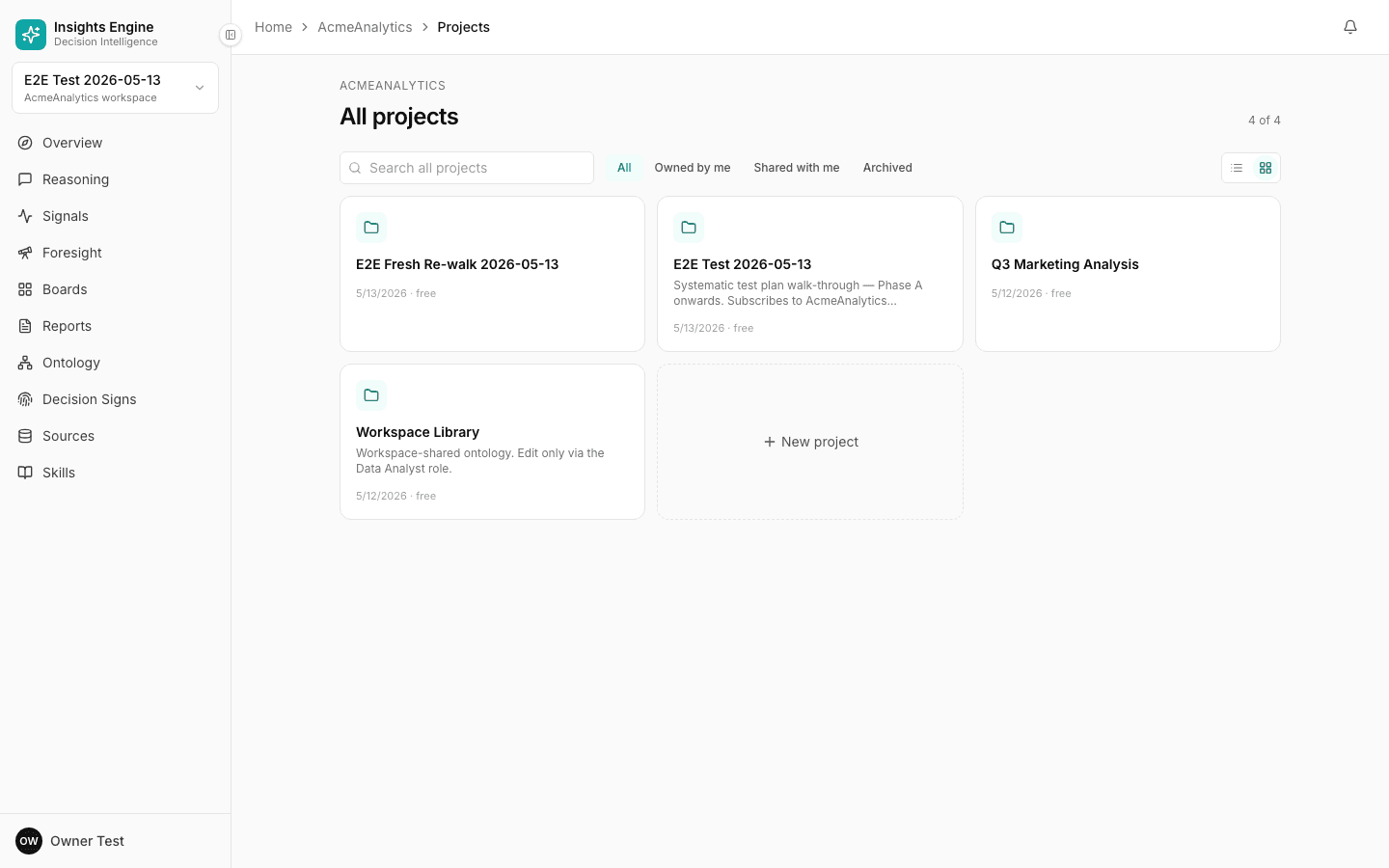
A project is one workspace for one slice of your business — its data, its ontology, its history.
A project is the basic container in Tattva. You can think of it as a sealed environment that holds:
- A set of sources (your data)
- An ontology (the platform's understanding of that data, learned over time)
- A history of questions asked and answered
- A set of decisions made and the evidence behind them
- A decision sign — a portrait of how your team makes calls
- A bag of saved trackers, reports, and foresight queries
Projects don't share data unless you explicitly share a source. That's by design: you can keep marketing data separate from finance data, or run a "what-if" project alongside the real one.
Project function
Every project has a function — the team it serves. The function pre-tunes the project: which personas it's optimised for, which kinds of reasoning it prioritises, which data it expects, and which questions it suggests.
Functions today:
- Sales — pipeline, conversion, win/loss, rep performance
- Marketing — channels, campaigns, attribution, ROAS
- Growth — funnel, activation, retention, LTV
- Customer — CSAT, churn, NPS, support
- Product — adoption, engagement, journey
- People & Org — hiring, retention, performance
- Decision Intelligence — cross-functional strategic work
You set the function during the create-project wizard. You can change it later in project settings, though doing so re-seeds the suggested questions.
Vertical pack
Beyond the function, the platform also detects (or you can pick) a vertical pack:
- CPG D2C — consumer brands selling direct
- Marketplace — multi-sided platforms
- Subscription SaaS — recurring software
- Generic — everything else
The vertical pack adds industry-specific defaults to the ontology — e.g. CPG D2C knows what "RTO" and "AOV" mean by default, marketplace knows about take rate and supply concentration. The pack locks on first apply so the project doesn't accumulate conflicting definitions over time.
Project lifecycle
A typical project goes through these stages:
- Created — function picked, no data yet.
- Loading — sources uploading and being processed.
- Building ontology — concepts being learned from the data.
- Ready — answer the first question.
- In use — questions, trackers, reports, decisions accumulate.
- Refreshed — sources re-uploaded as your data moves.
You'll find each project's current stage on the Overview page.
What's on the Overview screen
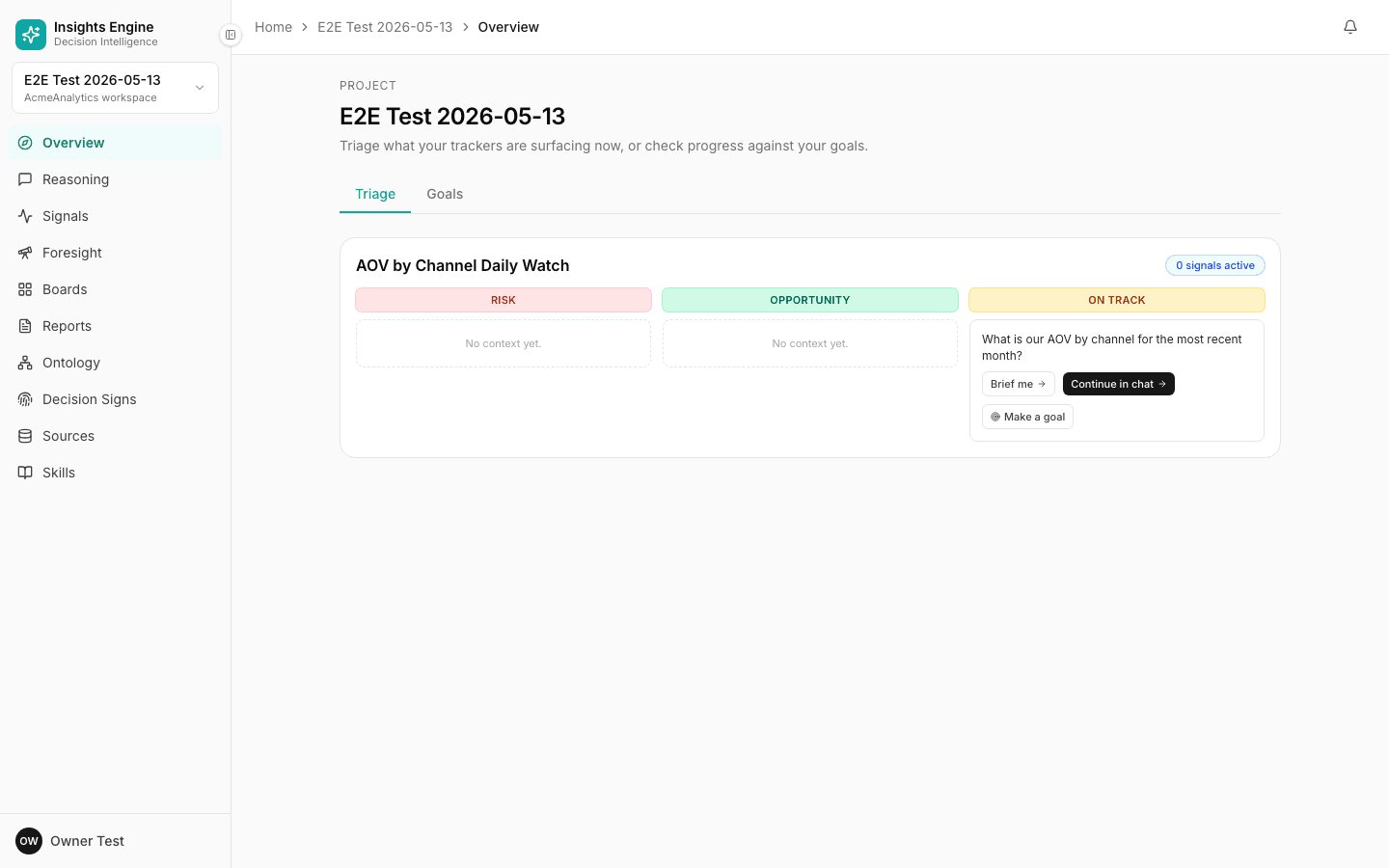
Open a project and you land on Overview. It's the daily-driver dashboard, organised into two tabs:
Triage tab
A signal-board of what your project's running Trackers (sidebar: Signals) are surfacing right now, classified into three lanes:
- 🔴 RISK — a tracker breached an alert threshold, or a hypothesis got invalidated.
- 🟢 OPPORTUNITY — a tracker spotted a positive deviation worth chasing.
- 🟡 ON TRACK — recurring questions running on schedule with no flag.
Each lane is a stack of cards. A card might be a tracker question that needs attention, or a metric that wasn't resolvable against the project's ontology yet. Every card has inline actions:
- Brief me → — open a one-screen briefing on what happened, with the underlying numbers.
- Continue in chat → — jump straight into Reasoning with the question pre-loaded.
- Make a goal — promote the underlying tracker to a tracked Goal (links it to the Goals tab).
The top-right of each board shows a counter — e.g. "0 signals active".
Goals tab
Lists the project's tracked Goals — measurable targets that organise trackers and decisions around an outcome. See Goals.
Workspace vs project
A workspace is your company's overall container. A workspace contains many projects. Workspace members can see all projects unless permissions are scoped.
There's also a special project called __canonical__ inside every workspace — that's where shared ontology lives, so concepts learned in one project can graduate into a workspace-wide definition. You won't interact with it directly day to day.
What a new project starts with
When you create a project, here's exactly what's there on day one:
| Thing | Default state |
|---|---|
| Sources | None. Upload your own or subscribe from the Workspace Library catalog. |
| Canonical metrics & concepts | Auto-inherited from the Workspace Library. Read-only unless you override. |
| Conventions (FY, currency, time grain) | Auto-inherited. |
| Glossary terms | Auto-inherited. |
| Seeded skills (platform-provided "verbs") | Auto-inherited. Fork to customise. |
| Custom skills | None. Fork a seeded one or upload your own. |
| Custom tools (HTTP / MCP) | None. Project-scoped from day one. |
| Trackers, decisions, reports, boards | None. Strictly project-local; nothing crosses projects. |
| Foresight settings (trusted domains, etc.) | None. Set per project. |
| Member access | Inherited from each member's workspace role unless overridden at project level. |
Read Workspace library for the full picture of what's shared vs. project-local.
Tips
- One project per focused question scope is better than one giant project.
- Subscribe to library sources rather than re-uploading. It keeps everyone aligned and your definitions stable.
- Treat the Overview page as your daily landing spot — it's where the project's status, freshness and recent activity live.