Decisions
A first-class record of the calls you make, with evidence, hypotheses, tradeoffs, actions, and outcomes.
A decision is one logged call. It's not a Slack message, not a doc, not a deck — it's a structured record that lives in the platform alongside the data that informed it. Decisions are the unit of accountability.
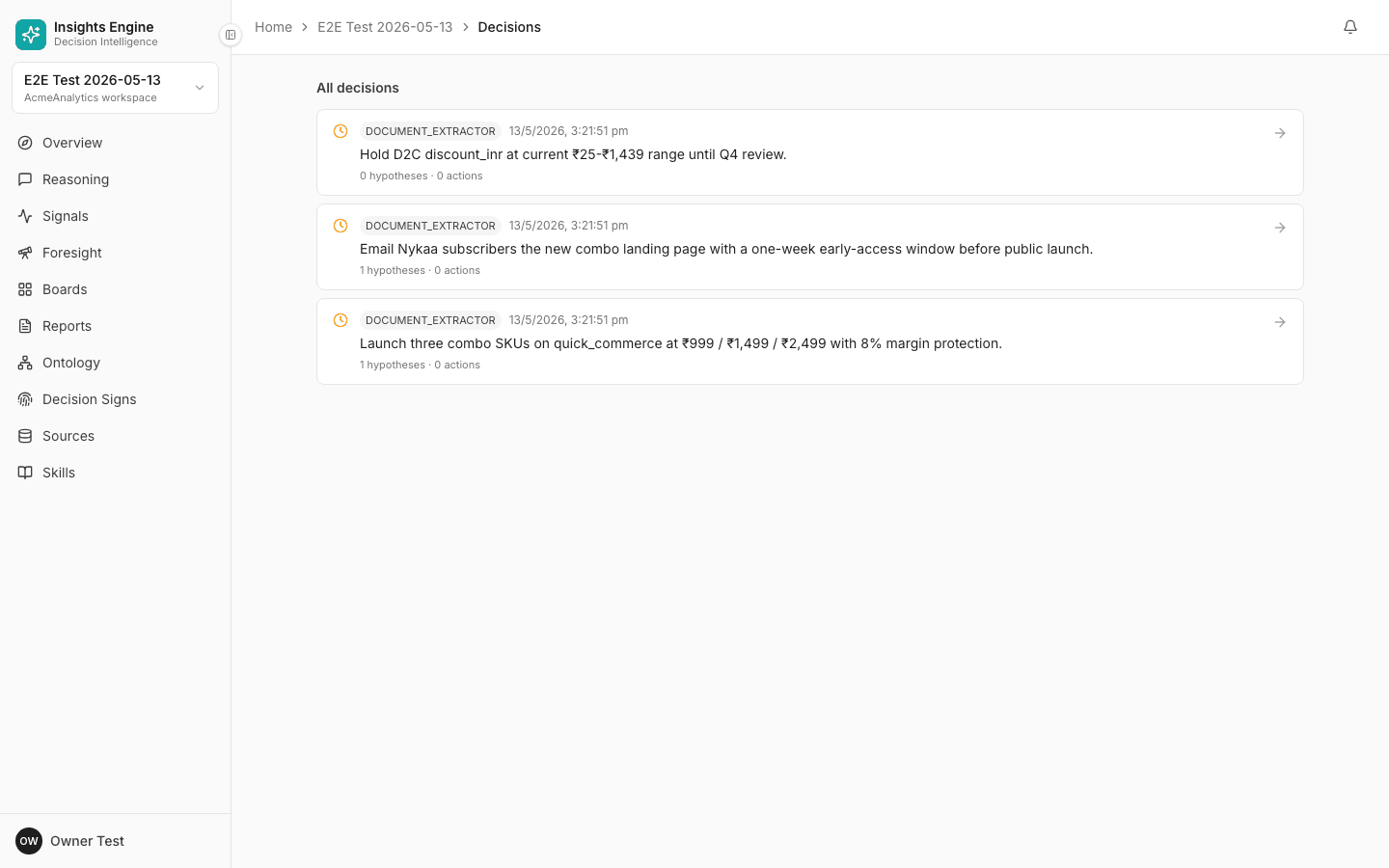
What's in a decision
Every decision has:
- Title — one-line summary ("Move 30% Q3 spend from Channel A to Channel C")
- Status — proposed / committed / superseded / abandoned
- Owner — the person accountable
- Date made and horizon (when we'll know if it worked)
- The question that prompted it (linked back to a reasoning run if any)
- The answer / evidence that supports it
- Hypotheses — assumptions, each validated / invalidated / unresolved
- Tradeoffs — what we're giving up
- Actions — concrete steps with owners and deadlines
- Linked trackers — metrics that will tell us how the decision is doing
- Outcome notes — written after the horizon passes
Where decisions show up
There's no dedicated "Decisions" link in the sidebar. Decisions are a first-class object but you reach them through three indirect paths:
- From a Reasoning answer — the Save as decision button in the answer toolbar.
- From the Reports screen empty state — the Browse decisions → button links to the decision list at
/decisions.- By URL —
/decisionsshows the project's decision list directly.
Once you're at /decisions, you'll find:
- Decision list — filterable by status (proposed / committed / superseded / abandoned) and owner.
- Decision detail page (
/decisions/<id>) — the full record on one page with Generate report and Re-run question actions. - Decision Signs page — derives your team's archetype from the aggregated decision history.
- Inline in Reasoning answers — relevant past decisions surface as context when you ask a new question on the same topic.
How to log one
The cleanest path: ask the question in Reasoning, get the answer, then click Save as decision in the answer toolbar. Everything pre-fills.
See the full Track a decision workflow.
Lifecycle
- Proposed — you've logged the call but haven't committed yet.
- Committed — you've made it. Actions are owned and dated.
- Outcome reached — the horizon has passed. Mark hypotheses as validated or invalidated. Write the outcome note.
- Superseded (optional) — a later decision replaces this one. The old one stays; the new one links back.
Why decisions matter
Three reasons:
- Defensibility. "Why did we do X?" is answered in one screen, with citations to the data as it was at the time.
- Pattern recognition. Your Decision Sign becomes meaningful at ~20 decisions. It tells you how your team actually thinks.
- Hand-off. A new team member can read the decision log and understand the territory in an hour.
What decisions are NOT
- They're not every Slack-vote choice. Log only the ones that matter.
- They're not to-dos. Actions inside a decision are; the decision itself is a record, not a task.
- They're not approved by the platform. The platform records the call; you make it.
Reports from decisions
Click Generate report on a decision's detail page to package the decision into a shareable summary. Useful for QBRs, retrospectives, and stakeholder updates.
Related
- Track a decision — the workflow.
- Decision Signs — your team's archetype.
- Trackers — metrics that monitor decisions.
- Reports — sharing the decision externally.